Cisco Products Additional.
Cisco icons, shapes, stencils and symbols
The ConceptDraw vector stencils library "Cisco Products Additional" contains 141 equipment symbols for drawing the computer network diagrams using the ConceptDraw DIAGRAM diagramming and vector drawing software:
- Protocol translator
- CiscoWorks workstation
- Access server (communications server)
- Workgroup director
- Network management appliance
- Storage Solution Engine (SSE)
- Software based router on file / application server
- Cisco MeetingPlace Express
- PC router card
- Transpath
- Bridge
- IOS SLB
- 100BaseT hub
- uBR910
- CDDI-FDDI
- PC adapter card
- VIP
- CSM-S
- Terminal server
- Route/switch processor with Si
- Route/switch processor
- PXF
- AVS (Application Velicity System)
- Content engine (cache director)
- Cisco file engine
- Management Engine (ME 1100)
- PC with router-based software
- PC with software
- ASIC processor
- General processor
- Switch processor
- Cisco 5500 family
- Multi-switch device
- IP transport concentrator
- ITP
- Cisco CA
- Voice Gateway
- BBSM
- ATA
- SIP Proxy Server
- MicroWeb Server
- NetRanger
- Cisco 6920 RateMux
- NetSonar
- Cisco 1000
- IP
- System controller
- ACE
- Voice-enabled access server
- Voice-enabled communications server
- Directory server
- Cisco 4310 End Office System
- ADM
- FireWall Service Module (FWSM)
- Cisco Unity Express
- Cisco Unity Server
- Centri firewall
- Cisco Security Manager
- Data switch processor (AKA data center switch)
- Cisco MP
- IOS firewall
- PIX firewall right
- PIX firewall left
- Cisco CallManager
- Cisco 6700 Series
- MGX 8240
- MGX 8220
- MGX 8260
- DSLAM
- Cisco 6732 Access Server
- Cisco 6701
- H.323
- Access gateway
- ICS 7750
- VPN concentrator
- SSL terminator
- CDM (Content Distribution Manager)
- Cisco 15200
- Cisco 15800
- Content Service Module
- Content Transformation Engine (CTE)
- Cisco VN 2900
- Cisco VN 5900
- Cisco VN 5902
- Cisco Unified Presence Server
- ICM
- PC Card
- Access point
- Dual mode access point
- Ether client
- Tablet
- Wireless transport
- Wireless bridge
- Lightweight single radio access point
- Lightweight double radio access point
- WLAN controller
- Wi-Fi tag
- Wireless location appliance
- Wireless connectivity
- WiSM
- Mesh AP
- SC2200 Signaling Controller
- Virtual Switch Controller (VSC3000)
- VS C3000 or SC2200 host
- BTS 10200 Softswitch
- Detector
- IP/TV content manager
- IP / TV broadcast server
- Universal gateway
- Generic softswitch
- Generic softswitch, blue
- Guard
- Mobile access router
- Cisco Carrier Routing System
- FC storage
- Intelli Switch Stack
- Service control
- UPC (Unified Personal Communicator)
- PMC
- IP communicator
- Streamer
- Vault
- DWDM filter
- DWDM ring
- DWDM network line
- Streamer (half-full)
- Vault (half-full)
- Data center switch, reversed
- Scanner
- 10GE/FCoE
- car
- CUBE
- Director-class fibre channel director
- Fibre channel disk subsystem
- Fibre channel fabric switch
- Generic gateway
- Handheld
- Internet streamer
- jbod
- MAS gateway
- Mesh AP
- Mobile streamer

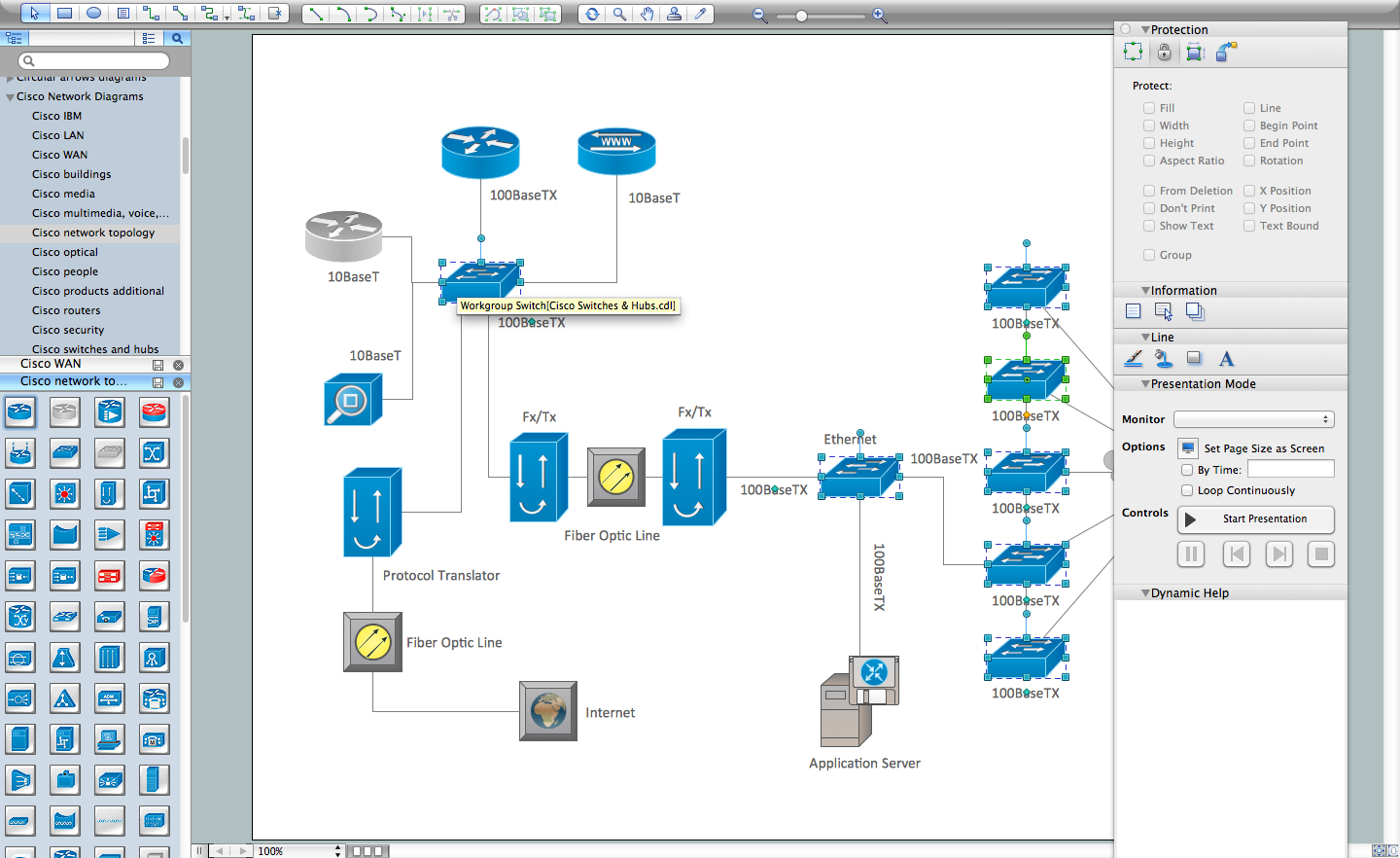
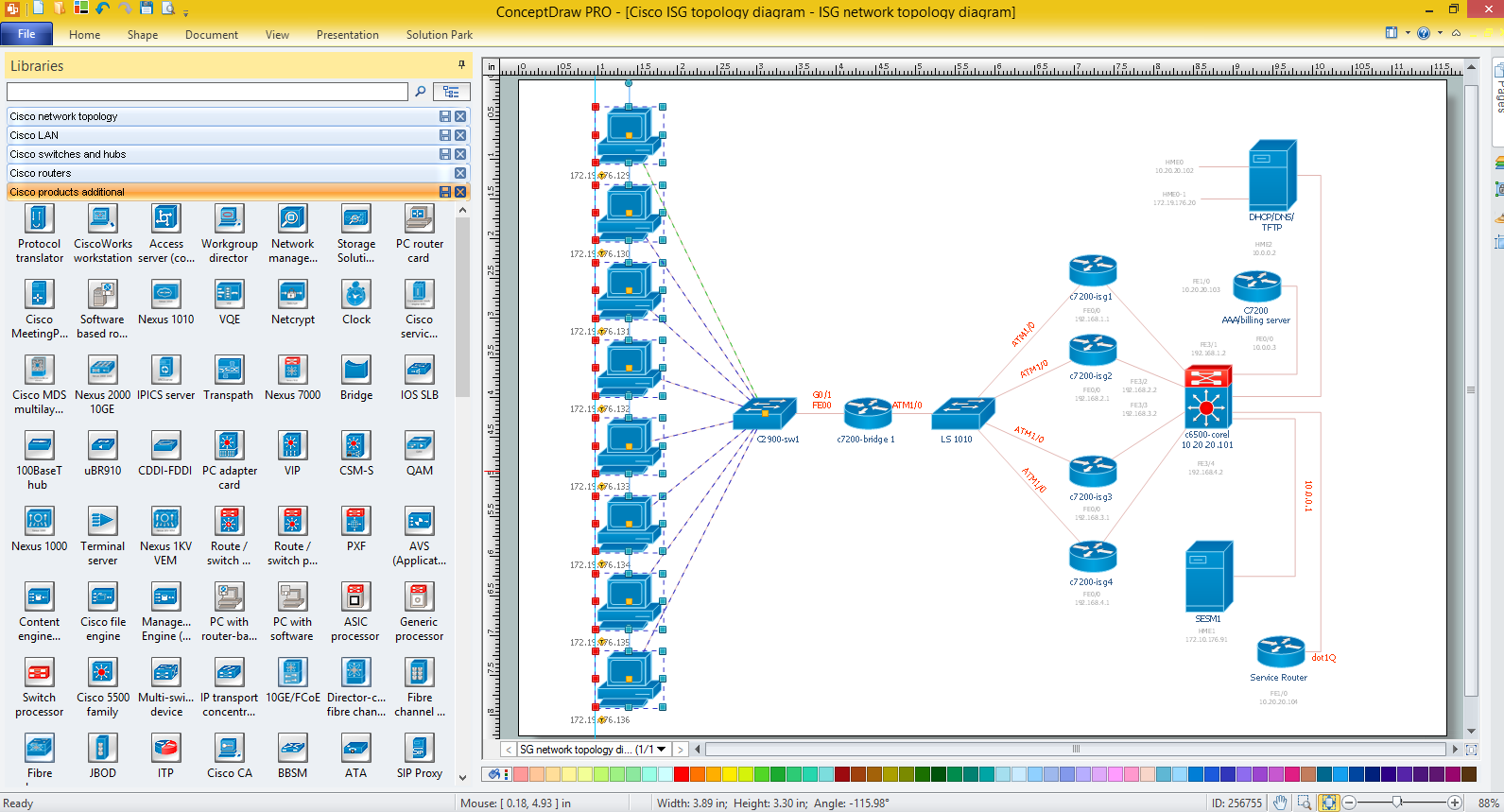
Sample 1. Design Elements — Cisco Products Additional (macintosh, windows)
for Network Diagrams.
The example "Design elements - Cisco Products Additional" is included in the Cisco Network Diagrams solution from the Computer and Networks area of ConceptDraw Solution Park.
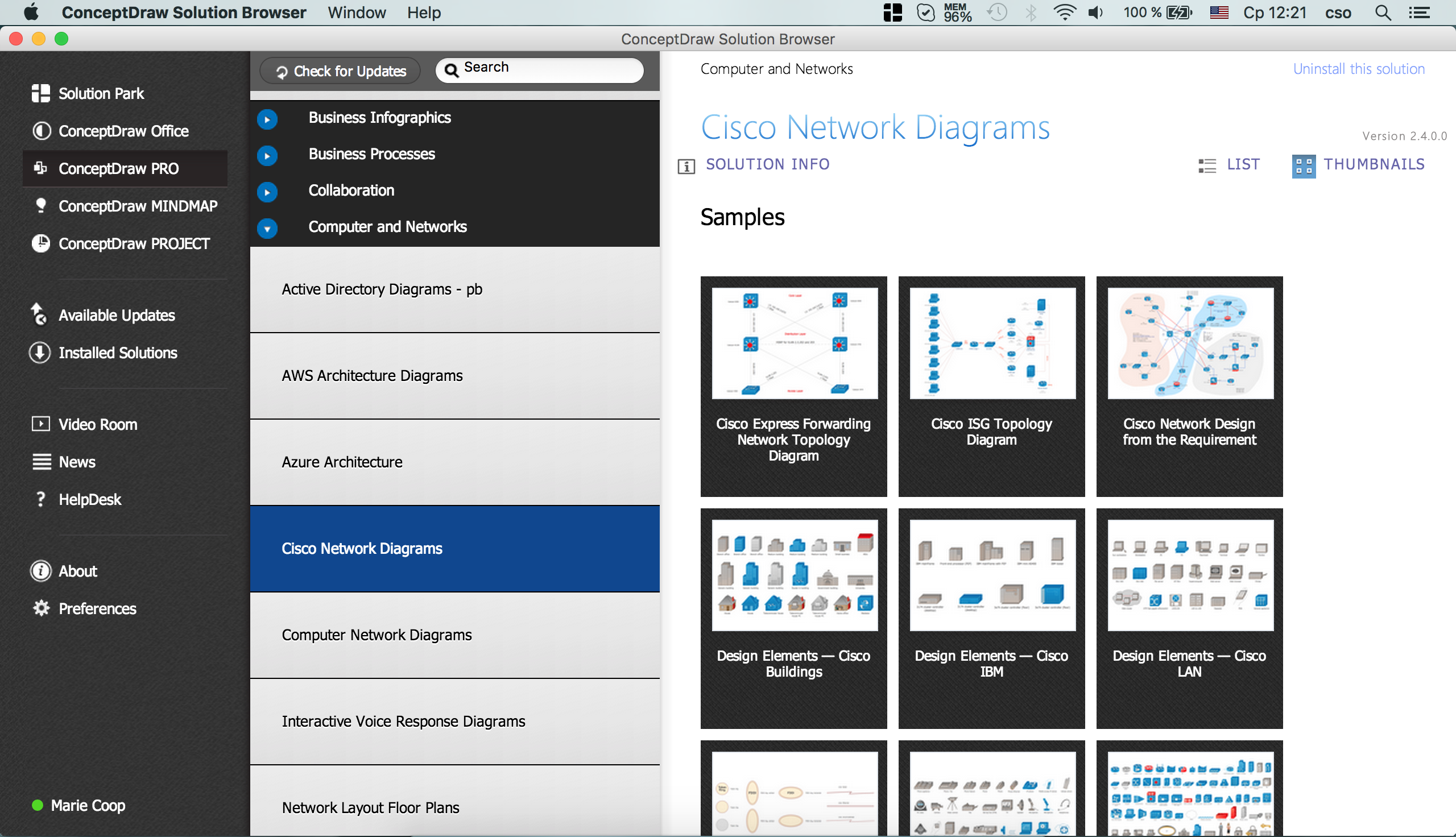
Example 2. Cisco Solution
Icons, shapes, stencils, symbols and design elements for Cisco Network Diagrams:
TEN RELATED HOW TO's:
This sample shows the Business Process Reengineering Diagram. Reengineering is the process of the business processes optimizations. This sample can be used in business process management, quality management, project management and program management.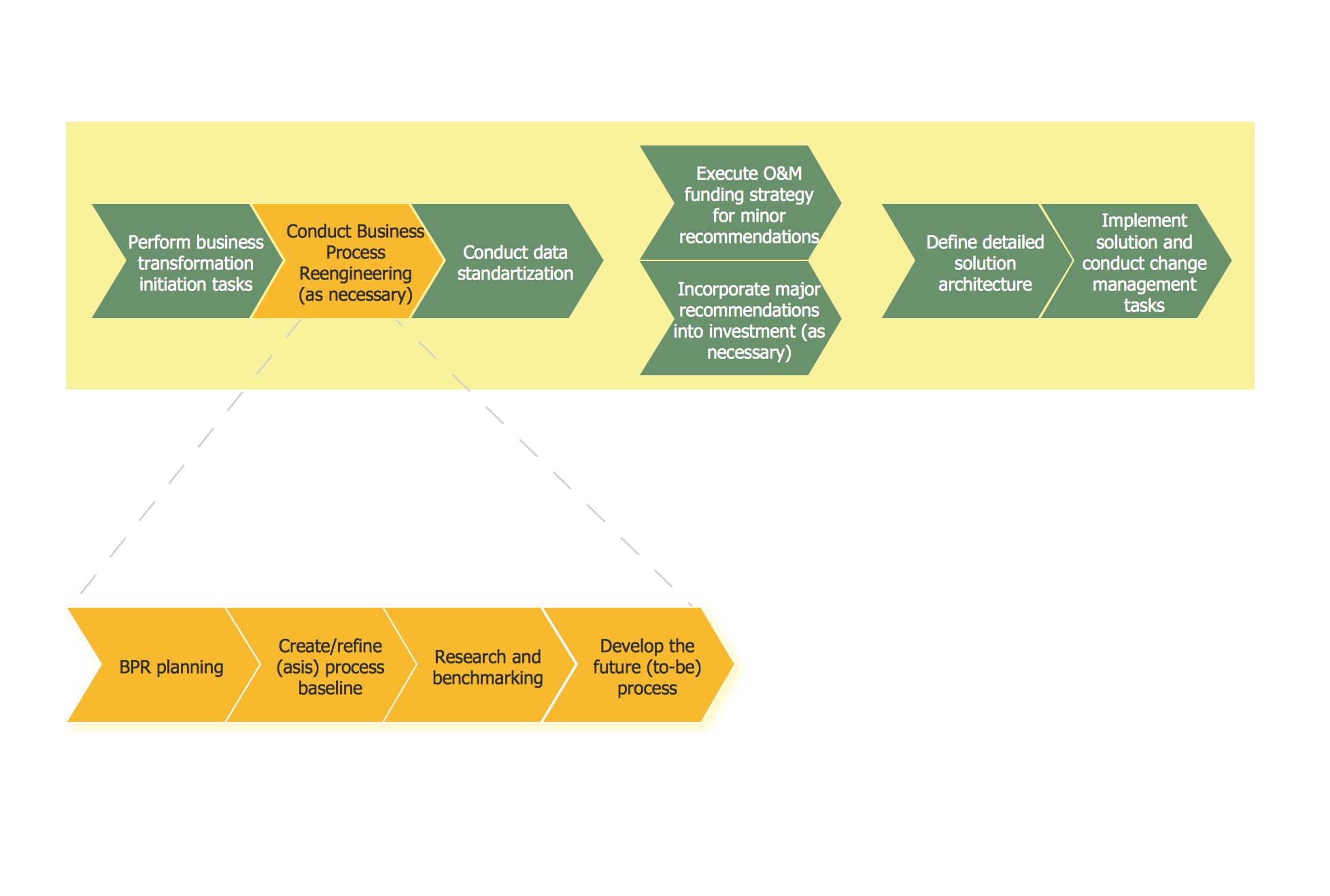
Picture: Business Process Reengineering Examples
Related Solution:
Software-Defined Networking (SDN) is a new powerful concept for decision these problems. SDN proposes to disaggregate the traditional networking stacks that are vertically integrated to customize the network operations for specialized environments and improve network service velocity.
On this example you can see the Software-Defined Networking (SDN) diagram that was created in ConceptDraw DIAGRAM using the Computer and Networks Area of ConceptDraw Solution Park.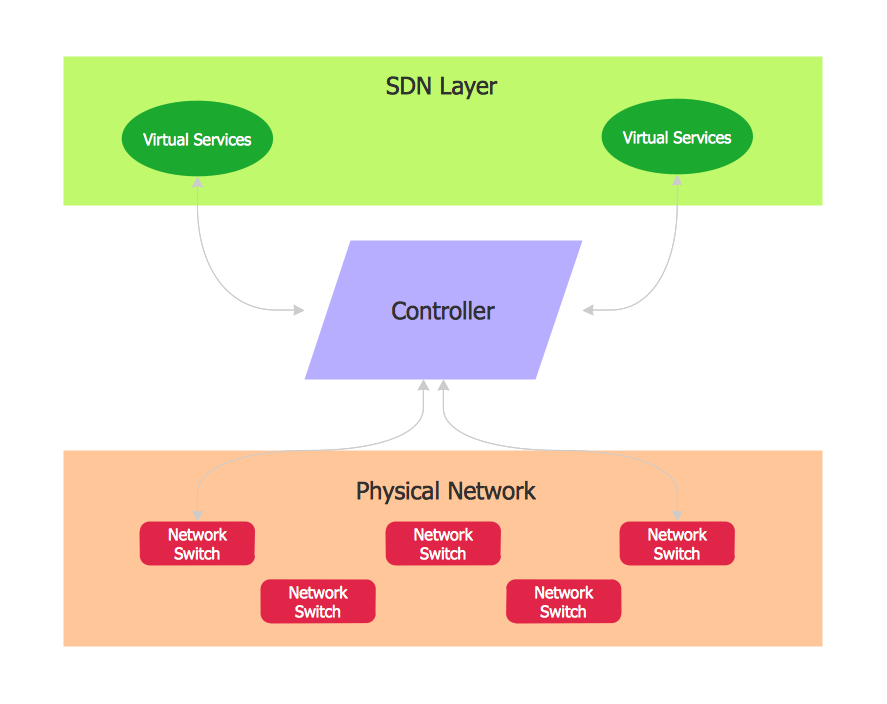
Picture: Software Defined Networking System Overview
Related Solution:
ConceptDraw - Perfect Network Diagramming Software with abundant examples and templates. ConceptDraw Network Diagram is ideal for network engineers and network designers who need to draw Enterprise Private Network diagrams.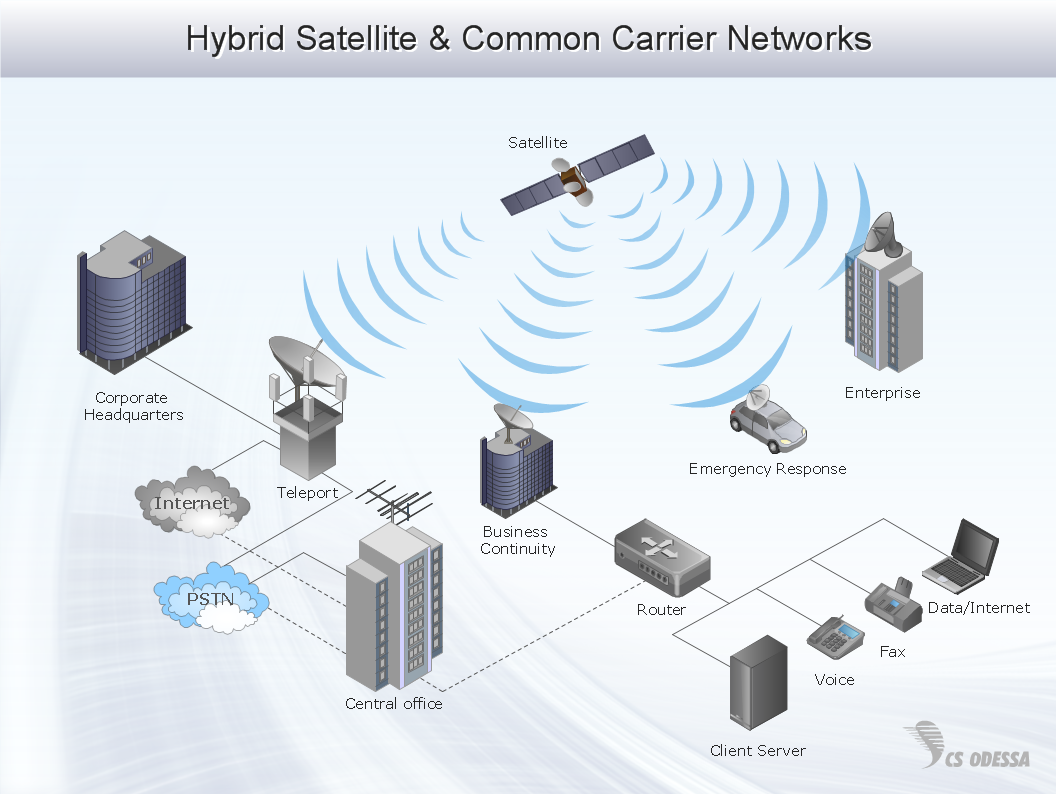
Picture: Network Diagram SoftwareEnterprise Private Network
Related Solution:
The library with 40 vector stencils is included in the ConceptDraw Value Stream Mapping solution.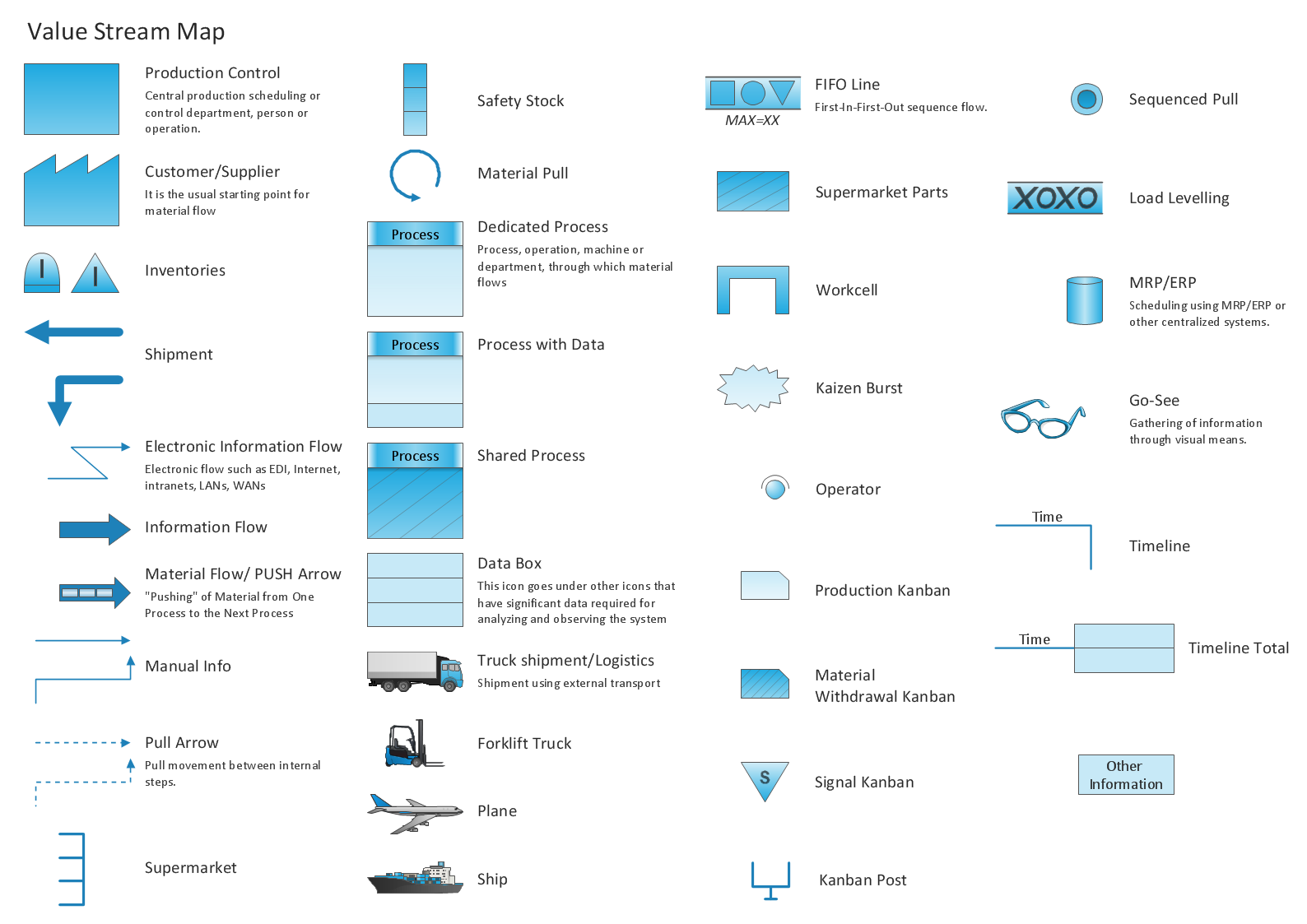
Picture: Value Stream Mapping Icons
Related Solution:
ConceptDraw DIAGRAM - workflow software extended with the Workflow Diagram solution provides a complete set of samples, templates and features help you to draw diagrams faster. A workflow software you use for drawing workflow diagrams and business process flow diagrams should provide a wide set of examples allows you get closer with workflow diagrams, learn symbols meaning, find appropriate layout and design, and then start drawing your own workflow diagram masterfully. Workflow diagrams used for orchestrating organizational processes between company departments and humans, so critical process diagrams used to train many people to interact must be clear and professional to convey an idea from a view. Thats a reason we created a lot workflow symbols and workflow icons collected them into special Workflow Diagram solution in ConceptDraw Solution Park.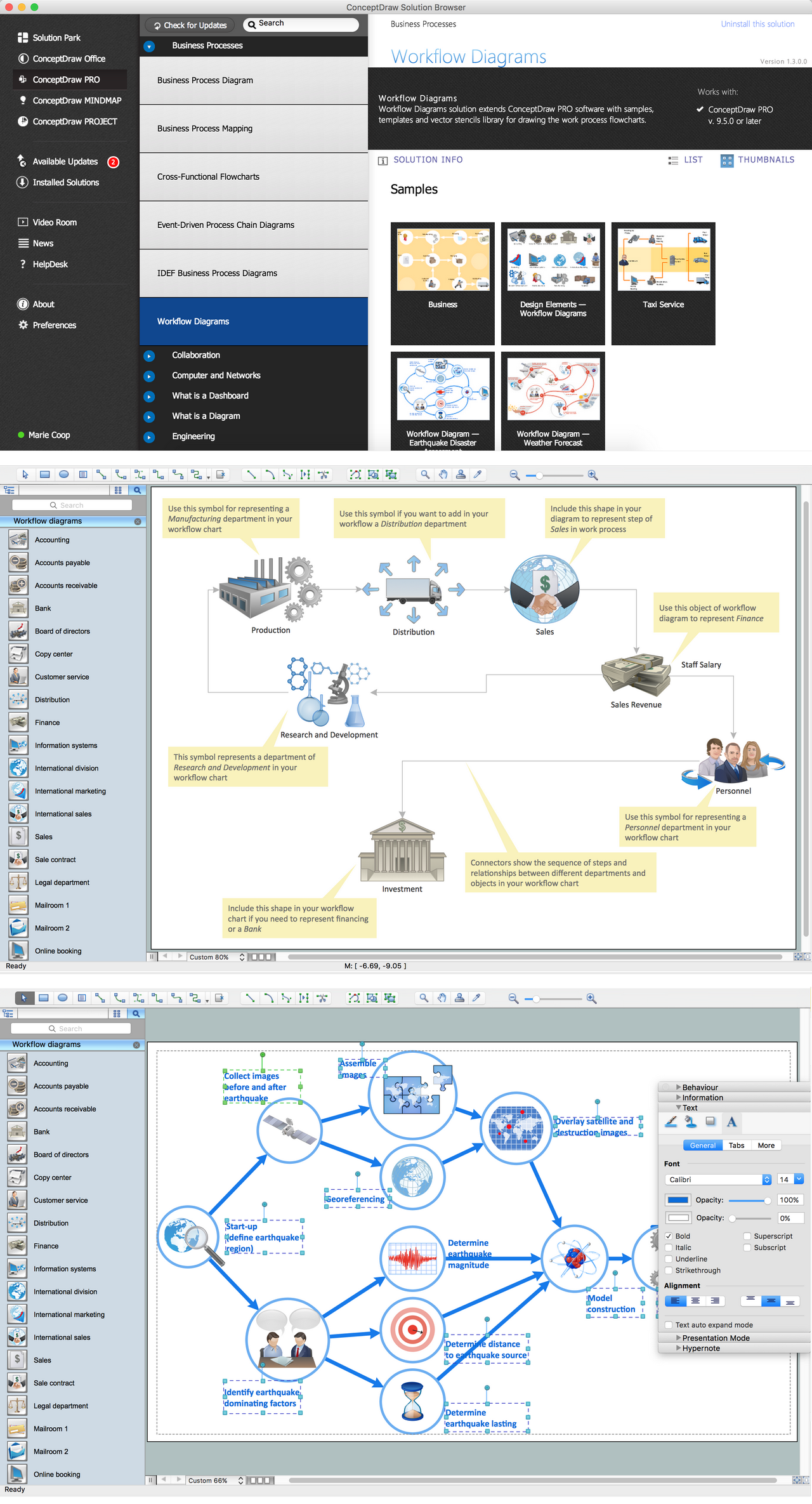
Picture: Workflow Diagram Examples
Related Solution:
To connect two or more network devices are used the network cables. There are more different types of the network cables: Coaxial cable, Optical fiber cable, Twisted Pair, Ethernet crossover cable, Power lines and others. They are used depending of the network topology, size, protocol.
This example was created in ConceptDraw DIAGRAM using the Computer and Networks solution from the Computer and Networks area of ConceptDraw Solution Park.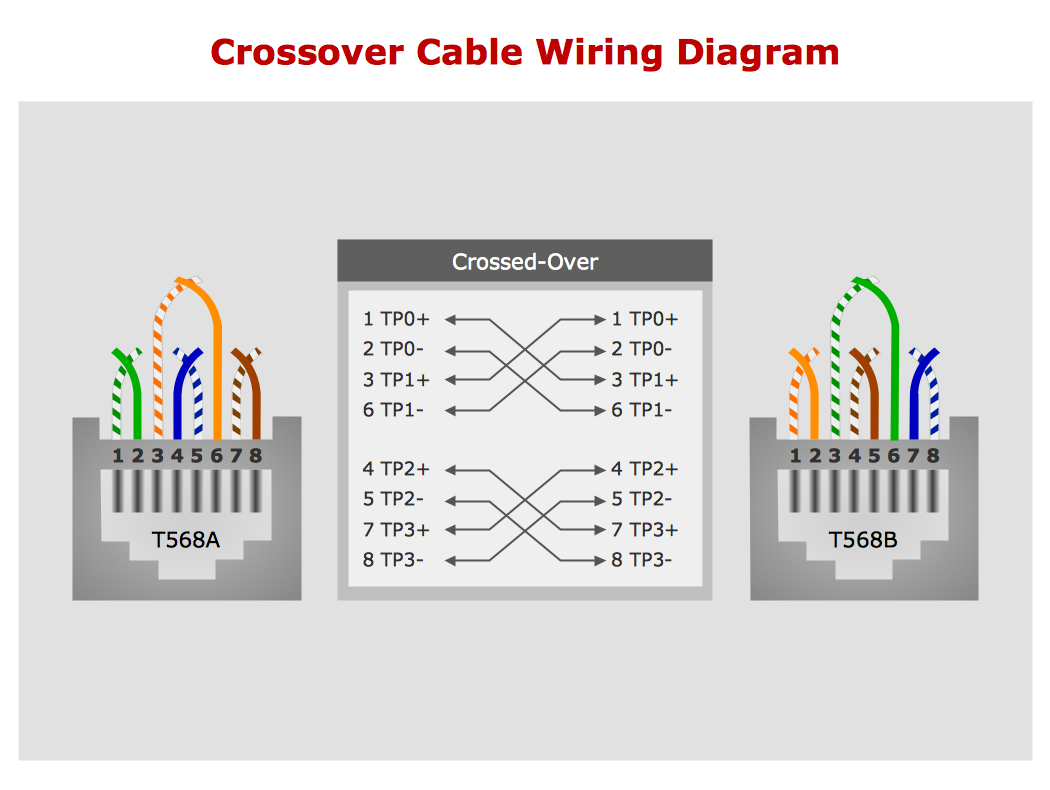
Picture: Network wiring cable. Computer and Network Examples
Related Solution:
ConceptDraw DIAGRAM is perfect for software designers and software developers who need to draw Active Directory Network Diagrams.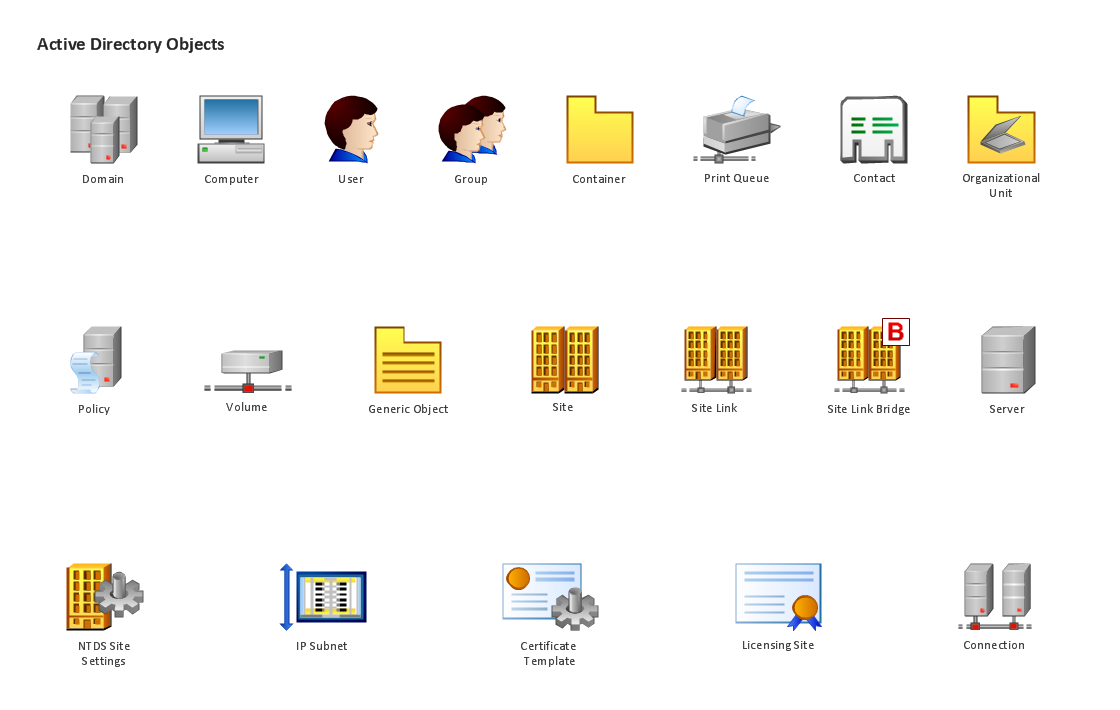
Picture: Design Element: Active Directory for Network Diagrams
Creating a detailed network plan can cause a lot of headache to an unexperienced user. And it is worth mentioning that ConceptDraw DIAGRAM is a decent tool for creating a network diagram, a tool that is easy-to-use. To get an accurate diagram use the vector shapes from the special libraries that represent workstations, network appliances, wiring systems and connect them with smart-connectors, just as simple as that.
This communication network diagram displays the way different components of a computer network communicate with each other. When representing network information, such as depicting all the equipment in a large network, it is helpful to make visual representation. Network diagram provides an easy way to show the way the connections between an equipment in a large network. This diagram of a communication network depicts a network composed of three sub-networks. It uses a network equipment symbols to represent the different devices that make up a network communication including routers, Ethernet devices and end-point equipment.
Picture: ConceptDraw DIAGRAM Network Diagram Tool
Related Solution:
ConceptDraw Wireless network diagrams help you to clearly represent and communicate the architecture, topology, and design of your wireless networks to engineers, stakeholders and end-users.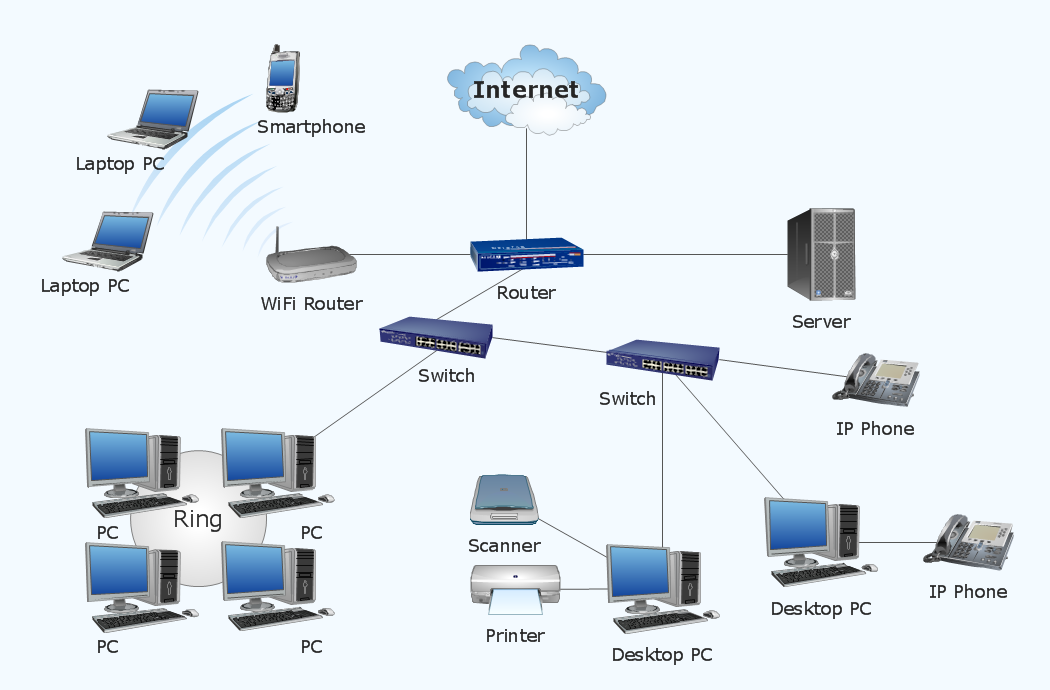
Picture: Troubleshooting in Wireless Connection
Related Solution:
This diagram represents the electrical floor plan. This is a common practice - to draw the electrical plan on the floor plan. The outlets, fixtures and other electrical equipment are depicted on the floor plan with special symbols. This drawing was created using the possibilities of ConceptDraw DIAGRAM as CAD software. Computer-aided design software is intended to replaces manual engineering drafting with an automated process. CAD software is used by engineers, architects, and others to make high-precision technical drawings and illustrations. CAD software allows technical specialists to develop, examine and manage various engineering projects.
It is almost impossible nowadays to imagine mechanical engineering without digital technologies. Finding a suitable CAD software for creating mechanic diagram and electrical diagram architectural designs can take a lot of time and effort. However, with ConceptDraw DIAGRAM you can create any diagram that you want and later convert it to the most popular graphic formats like.vsdx,.png,.pptx etc.
Picture: CAD Drawing Software for Making Mechanic Diagram and Electrical Diagram Architectural Designs
Related Solution:
ConceptDraw
DIAGRAM 18